Wi-Fi at Sea: Speeds, Included Allowances & Multi-Device Costs
November 2026

Rashmi Latchman
Social Media & Content Executive
- Home
- >
- The Reading Deck
- >
- Wi-Fi at Sea: Speeds, Included Allowances & Multi-Device Costs

How much is Wi-Fi on a cruise ship?
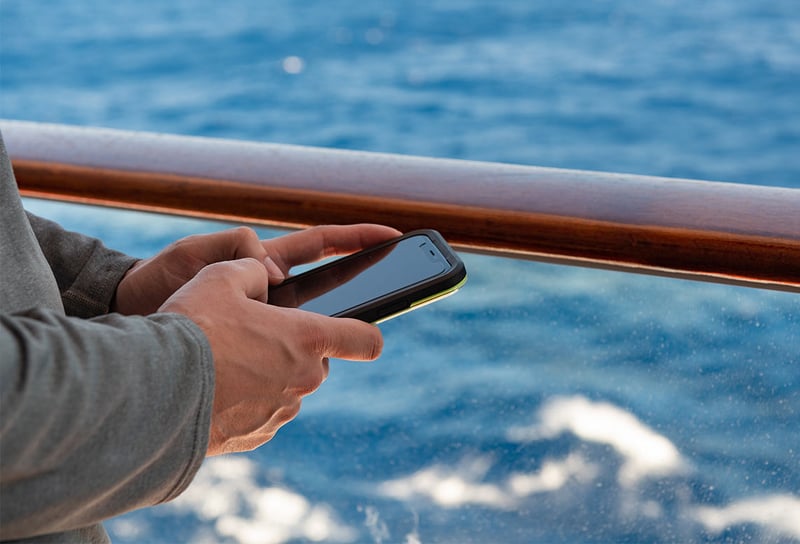
On most mainstream lines, Wi-Fi is an extra. Prices vary by line, plan and ship. However, daily rates often fall between roughly $10 and $40 per device. Lines usually charge in US dollars, and rates change often, so always check before you sail. For example, a family of four can easily spend hundreds of dollars in one week on streaming plans. That adds up.
Even so, several patterns repeat across the industry:
- Tiered plans: Basic plans cover messaging and social media, while premium plans add video calls and streaming.
- Per-device pricing: Most lines charge for each phone or laptop you connect.
- Advance discounts: Buying before you board is commonly 20% to 30% cheaper than paying onboard.
Our guide to top tips for first-time cruisers recommends checking your cruise line’s internet packages in advance. That way, you can plan ahead and keep your connection smooth.

Reliability depends mostly on the satellite technology onboard, so it helps to know the difference. Older systems rely on satellites that sit about 22,000 miles above Earth. Signals take a long journey, so video calls often stutter. In contrast, newer systems feel much closer to home broadband. Newer low-orbit Starlink systems orbit just a few hundred miles up, so they cut that delay sharply. As a result, speeds climb well beyond older systems. Many guests can now take a video call from their balcony. Royal Caribbean and Carnival are among the lines that now use Starlink.
Speeds still vary from ship to ship. Older ships share a small pool of bandwidth across every guest, so the connection slows when the pool deck fills. In addition, ships that sail through coverage gaps may see slower speeds. Remote regions, such as the polar routes, can also be patchy. Here is roughly what to expect:
- Messaging and email: These work well on almost every ship, so even basic plans cope.
- Social media and browsing: Smooth on Starlink ships and slower at busy times elsewhere.
- Video calls: Reliable on Starlink ships, but unpredictable on older systems.
- Streaming: Possible on Starlink ships with a streaming plan, but unlikely on older systems.
Working from sea? Check whether your line allows VPN use, because some lines restrict it. Moreover, a strong signal matters more than a premium label. Ask which satellite system your ship uses before you book.
Which cruise lines include Wi-Fi?
Increasingly, luxury cruise lines include unlimited Wi-Fi in their fares. That removes the daily charge, and it removes the guesswork too. Instead of tracking a bill, you simply log on. Our guide to the best all-inclusive cruise lines compares them in detail. Here is where Wi-Fi comes included:
- Regent Seven Seas Cruises: Every suite includes Wi-Fi alongside unlimited shore excursions, fine dining and premium drinks.
- Silversea: Wi-Fi sits in the baseline fare with butler service, fine dining and premium drinks.
- Seabourn: Drinks, gratuities and Wi-Fi all come included, with no packages to manage. Read more in our guide to 10 reasons to cruise with Seabourn.
- Oceania Cruises: Internet access forms part of its elevated fare structures.
- Explora Journeys: Unlimited beverages, Wi-Fi and gratuities come as standard.
- Four Seasons Yachts: Every guest gets complimentary unlimited Wi-Fi. See what’s included on a Four Seasons yacht cruise for the full list.
Curious how else these fares compare? Our guide to what all-inclusive means on a luxury cruise breaks it down line by line.
What should you know about multi-device costs?
Multi-device costs add up fast. A couple with a phone and a laptop each may pay for four devices. Over a two-week voyage, that bill climbs quickly. Some lines offer a multi-device plan, which spreads the cost. Others let you share one plan by logging out of one device before you log in on another.
Before you buy, ask yourself three questions:
- Devices: How many do you need online at once? Often, your phone is enough.
- Usage: Do you need video calls or streaming? If not, the basic tier usually does the job.
- Inclusions: Does your fare already include Wi-Fi? On an all-inclusive line, you pay nothing extra.
Because the answers differ for every traveller, our Voyage Consultants can check the exact inclusions on your sailing. Then you can decide whether a paid plan is worth it at all.

What are the best options for internet access while at sea?
You have more choice than you might think. Better still, a few simple habits help. These tips help you stay connected without overspending:
- Book an all-inclusive line: Wi-Fi comes in the fare, so you never track a daily bill.
- Buy early: Advance packages usually beat onboard prices.
- Match the tier to your needs: Pay for premium only if you need video calls or streaming.
- Pick your moment: Early mornings and late evenings tend to be quieter, while mid-afternoon at sea is often busiest.
- Choose your spot: Your cabin or an upper deck often gets a better signal than a crowded pool area.
- Use aeroplane mode: Switch it on as you board, so you avoid surprise roaming and data charges.
Finally, bear in mind that bringing your own Starlink dish is not allowed on virtually all lines.
Expert guidance from The Cruise Line
Choosing the right ship and fare makes your trip feel effortless. Our Voyage Consultants give honest, first-hand advice, and they check exactly what each fare includes, Wi-Fi among them.
To plan your voyage, get in touch with our Voyage Consultants today.


 22 Nov '26
 11 nights